Table of Contents
ToggleWhen you’re not exploring the vibrant post-apocalyptic world of Horizon Forbidden West, you want that beauty staring you in the face every time you boot up your PC, console, or phone. A solid wallpaper isn’t just decoration, it’s a window into the game that defined a generation of open-world gaming. Whether you’re running a 4K triple-monitor setup or just want something fresh on your mobile lock screen, finding the perfect Horizon Forbidden West wallpaper transforms your entire digital space. This guide walks you through where to find the best options, how to customize them across your devices, and even how to create your own from screenshots. Let’s immerse and turn your gaming setup into a visual masterpiece.
Key Takeaways
- A high-quality Horizon Forbidden West wallpaper tailored to your monitor’s native resolution and aspect ratio enhances visual clarity and prevents pixelation or distortion.
- Official sources like PlayStation and Steam, combined with community platforms like Reddit and DeviantArt, offer the most reliable and creative wallpaper options with guaranteed quality and variety.
- Character-focused wallpapers featuring Aloy mid-action and landscape wallpapers showcasing desert vistas or jungle environments provide the most compelling visual impact for gaming setups.
- Photo mode in Horizon Forbidden West allows you to create personalized wallpapers by capturing high-resolution screenshots, cropping to your display dimensions, and enhancing them with free tools like Canva or GIMP.
- Matching your wallpaper resolution to your monitor’s specification (1080p, 1440p, or 4K) and understanding your display’s aspect ratio prevents compromised image quality and wasted storage space.
Why Horizon Forbidden West Wallpapers Matter to Gamers
Look, a wallpaper might seem like a small detail, but gamers understand the psychology behind it. When you’re grinding through a long gaming session or taking a quick break, your desktop or phone background sets the mood. A stunning Horizon Forbidden West wallpaper keeps you connected to the world you’re invested in, maintains that sense of immersion, and frankly, makes your setup look legitimately professional.
Aloy’s fierce expression, massive mechanical beasts, and those jaw-dropping desert vistas do more than fill screen space, they remind you why you loved the game in the first place. Players who spent 60+ hours with Forbidden West develop an attachment to its aesthetic. Having that visual reminder on your daily devices extends the experience beyond gameplay sessions.
Beyond sentiment, there’s a practical angle. A high-quality wallpaper optimized for your specific monitor resolution and aspect ratio actually enhances readability and reduces eye strain. A blurry, stretched, or poorly fitted wallpaper becomes background noise. A carefully chosen one grounds your entire workflow and makes your gaming corner feel intentional, not just decorated. That’s the difference between a setup that looks thrown together and one that looks curated.
Where to Find the Best Horizon Forbidden West Wallpapers
The hunt for the perfect wallpaper is easier now than ever, but knowing where to look separates quality finds from low-res duds. Let’s break down your best sources.
Official and Licensed Sources
Start here if you want guaranteed legitimacy and quality assurance. PlayStation’s official channels occasionally release wallpaper packs tied to new releases or seasonal updates. The Horizon Forbidden West Steam community hub hosts curated backgrounds created by Guerrilla Games themselves. These official sources come pre-optimized for common resolutions, and you won’t worry about watermarks or stolen assets.
The game’s official website and social media accounts (Twitter, PlayStation Blog) regularly share high-res promotional art perfect for wallpaper sizing. When publishers drop official wallpapers, they’re usually crafted with actual gaming setups in mind, multiple aspect ratios, color grading that doesn’t mess with your eyes, and proper contrast for readable desktop icons.
Community and Fan-Created Collections
Some of the most creative wallpapers come from passionate fans who spent hours perfecting their designs. Reddit communities like r/HorizonForbiddenWest host regular wallpaper threads where creators share original work. DeviantArt remains a goldmine for artist-created backgrounds, with filters letting you sort by resolution and style.
The advantage of community content? Variety and originality. You’ll find niche designs that official content might never touch, anime-style interpretations of Aloy, minimalist machine silhouettes, or abstract representations of the game’s story beats. Just verify image quality before downloading, and always credit the original creator if you share.
Gaming Wallpaper Websites and Forums
Dedicated wallpaper sites like WallpaperEngine, Unsplash, and Pexels host curated Horizon collections. WallpaperEngine on Steam even offers animated wallpapers from Forbidden West, imagine a living desktop with subtle machine sounds and particle effects. These platforms handle distribution legally and typically feature both official and community-approved fan art.
Forums like NeoGAF and specialized gaming Discord servers often have pinned wallpaper channels where members share their best finds organized by category. The bonus: community vetting means what’s popular is actually good.
Top Character Wallpapers: Aloy and Beyond
Character-focused wallpapers hit different. They’re personal, instantly recognizable, and make your setup feel connected to the protagonist’s journey.
Aloy-Focused Designs
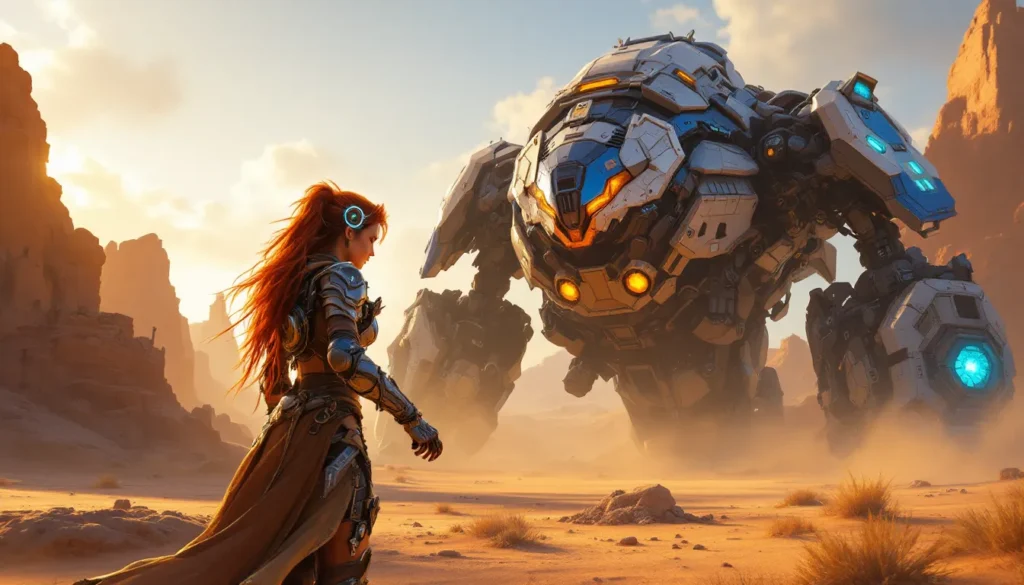
Aloy is the undeniable centerpiece of any Horizon wallpaper collection. The most popular designs showcase her mid-action, firing the Sharpshot Bow, overriding a Tremortusk, or standing defiant against a sunset backdrop. Her character model in Forbidden West is incredibly detailed, so high-res close-ups of her face, the Focus device glowing on her temple, or her iconic red hair catching light make for stunning desktop imagery.
The best Aloy wallpapers capture her dual nature: the hardened warrior and the curious explorer. Some designs isolate her face against minimal backgrounds, perfect for minimalist setups. Others embed her into the game’s landscape, showing her relationship with the world she’s fighting to save. Look for versions where her armor details are crisp and the color grading matches your monitor’s warmth, cooler tones work on IPS panels, warmer ones on VA panels.
Secondary Characters and Companions
Don’t sleep on the supporting cast. Erend, Kotallo, and Sylens each have compelling designs that deserve wallpaper real estate. Erend’s mechanical arm and weathered face tell a story of resilience. Kotallo’s status as a rebel Regalla warrior adds visual intrigue. Sylens remains enigmatic and visually striking, perfect for anyone who respects the game’s mysterious figure.
Group wallpapers featuring multiple characters are increasingly popular. These show Aloy alongside her companions, reinforcing the game’s emphasis on teamwork and relationships. They work especially well on ultrawide monitors where the composition has room to breathe. Just ensure the resolution supports the wider aspect ratio, a group shot compressed to 1920×1080 loses impact.
Landscape and Environment Wallpapers
The real star of Horizon Forbidden West? The world itself. Guerrilla Games crafted some of the most visually striking environments in gaming, and landscape wallpapers let you relive those moments every time you check your phone.
Vibrant Desert and Coastal Scenes
Forbidden West’s take on the American Southwest is unreal. Golden-hour photography showing vast desert expanses with the Zenith’s imposing structures silhouetted against dunes creates wallpapers with serious depth. Coastal scenes from the Pacific areas feature bioluminescent plants and crystalline water that pop in 4K resolution.
These landscape shots work best on widescreen setups where the natural composition fills your peripheral vision. The color saturation in Forbidden West’s deserts is intentional, the artists wanted harsh, warm tones to emphasize environmental danger. A wallpaper preserving that aesthetic makes your workspace feel dramatically alive. Look specifically for shots captured during photo mode’s golden hour or dawn settings, when lighting transforms ordinary vistas into something transcendent.
Lush Forest and Jungle Backgrounds
The Restless Weald and surrounding jungle territories showcase a completely different side of the Forbidden West aesthetic. Moss-covered ruins, towering trees, and filtered sunlight create moody, atmospheric wallpapers. These tend toward cooler color grading and work beautifully on matte displays where contrast doesn’t blow out highlights.
Jungle wallpapers offer intricate visual detail, layers of foliage, machine parts integrated into nature, bioluminescent flora. They’re perfect for gaming setups that benefit from a calmer color palette, or if you prefer wallpapers that don’t assault the senses during work sessions. The organic complexity also provides excellent visual interest without being distracting.
Post-Apocalyptic Ruins and Settlements
If you want something with real atmosphere, ruins and settlements deliver. Bombed-out skyscrapers from the old world, makeshift human camps, and overgrown urban centers create wallpapers with narrative weight. Camp Nowhere, the Sand’s Edge settlement, and various Carja outposts provide architectural inspiration.
These images often feature dynamic lighting, artificial torches against natural twilight, or harsh noon sun casting long shadows through collapsed buildings. They’re visually sophisticated and work perfectly for gaming setups that lean toward darker room lighting or high-contrast monitors.
Machine and Combat-Themed Wallpapers
Machines define Horizon’s visual identity. These mechanical beasts are engineering marvels rendered in stunning detail, and wallpapers featuring them pack serious impact.
Epic Robot and Creature Designs
The Stormbird dominates as the most visually arresting machine in Forbidden West. Full-frame shots showing its wing span and design complexity create wallpapers that command attention. The Specter Prime, Regalla’s Slaughterspine, and other apex machines offer similarly striking designs. These aren’t just monsters, they’re pieces of art engineering.
The best machine wallpapers isolate the creature against minimal background or capture them mid-stride across a landscape. Detail-focused shots of machine parts, glowing components, and armor plating appeal to players who appreciate the technical design. Color variation between machines means you can match your wallpaper to your aesthetic, the blue-white glow of a Thunderjaw versus the warm orange of a Rollerback.
These work exceptionally well in 4K because machine design complexity justifies every pixel. A 1080p machine wallpaper can feel flat. At 4K, the same image reveals intricate mechanical detail that keeps your eye engaged.
Action-Packed Battle Scenes
Wallpapers depicting Aloy mid-combat against massive machines capture the game’s kinetic energy. Arrows streaking across frame, machines mid-attack animation, explosions, these wallpapers feel dynamic rather than static. They’re perfect for gaming setups where you want visual energy reflected in your environment.
The challenge with action wallpapers is readability, desktop icons and taskbars need contrast. The best battle-scene wallpapers position action elements strategically, leaving clear zones for UI. Look for compositions where the machine dominates center-screen but edges remain darker or less detailed, preserving functional space. Dynamic action shots tend to work better on portrait-oriented displays or mobile devices than traditional landscape monitors.
How to Customize and Set Wallpapers Across Devices
Having the perfect wallpaper is half the battle. Actually getting it properly fitted to your specific setup requires knowing your device’s specifications and settings.
PC Desktop Setup Instructions
Windows: Right-click your desktop, select “Personalize,” then “Background.” Browse to your wallpaper file and choose fit options, Fill (stretches to cover), Fit (preserves aspect ratio), or Tile (repeats). For most Horizon wallpapers, “Fill” works best if your image matches your monitor resolution, or “Fit” if you want to avoid distortion on ultrawide or portrait displays.
Monitor resolution matters. Most standard displays run 1920×1080, but 1440p (2560×1440) and 4K (3840×2160) require corresponding wallpaper files or you’ll see pixelation. If you’re running multi-monitor setups, Windows treats them as one extended display. You’ll need a panoramic wallpaper spanning all monitors, or set individual wallpapers per monitor using third-party tools like DisplayFusion.
Mac: System Preferences > Desktops & Dock > Desktop, then select your wallpaper. Mac offers the same fit options. Macs increasingly use notched displays, so verify your image doesn’t hide under the notch by testing with “Scale to fit” first.
Linux: Depends on your desktop environment (GNOME, KDE, etc.), but generally right-click desktop > Set as Wallpaper. GNOME Settings > Appearance handles the rest.
Console Wallpaper Settings
PlayStation 5: While you can’t directly set custom wallpapers on PS5 like previous generations, you can capture screenshots using the built-in photo mode and set them as your profile background. More importantly, PS5’s system software occasionally adds Horizon-themed themes with dynamic wallpapers. Check the Theme Store in Settings > Themes regularly, limited-edition Horizon Forbidden West themes drop periodically and provide animated backgrounds.
**Xbox Series X
|
S:** Similar to PS5, custom wallpapers aren’t directly supported, but you can set your profile background. The quickest option is using official Xbox themes, which Microsoft occasionally releases for major PlayStation exclusives through licensing agreements. Check the Microsoft Store under Themes.
If you want true console wallpaper functionality, capture gameplay screenshots using your console’s built-in tools and save them to your profile.
Mobile Device Options
iOS: Long-press your home screen or lock screen, tap “Customize,” then add a photo. iOS requires specific dimensions for lock screens (1170×2532 for iPhone 13 Pro Max, adjust for your model). Wallpaper websites often provide downloadable packs at common iPhone resolutions. Lock screen widgets on iOS 16+ let you layer wallpapers with functional elements.
Android: The approach varies by manufacturer, but generally: Long-press home screen > Wallpapers > Select image. Android automatically scales to your phone’s resolution. Apps like Zedge and Wallpaper Engine provide Horizon wallpapers with one-tap installation. Many let you set different wallpapers for home screen vs. lock screen.
For the best mobile experience, download wallpapers at 1.5x to 2x your phone’s native resolution. A Pixel 7 (2412×1080) looks crisp with a 3000×1350 wallpaper, preventing compression artifacts while keeping file size manageable.
Creating Your Own Horizon Forbidden West Wallpapers
The absolute best wallpaper? One you made yourself. Horizon Forbidden West’s photo mode is legitimately powerful, and with basic design skills, you can craft something unique.
Using Screenshots and Photo Mode
Forbidden West’s photo mode is arguably the game’s best feature for this. It offers:
- Full camera control: Free rotation, zoom, pan without on-screen UI
- Lighting adjustments: Time of day, weather effects, exposure compensation
- Filter library: Color grading presets mimicking professional cinematography
- Human placement: Position Aloy anywhere in frame
Capture shots at your monitor’s native resolution (or higher). Most setups support at least 1440p screenshots. PS5 captures at 4K if available. Export to a USB drive or cloud service, then crop using any image editor.
The key: composition. Avoid centering everything. Use the rule of thirds, place focal points at intersections, not dead-center. Capture dynamic moments: Aloy mid-jump, machines mid-stride, environmental details close enough to see texture.
Post-processing through free tools like Photoshop Express or GIMP can enhance contrast, boost saturation to match your monitor, or add text overlays if you’re feeling creative.
Design Tools and Software Recommendations
Free options:
- Canva: Premade wallpaper templates (1920×1080, 2560×1440, 3840×2160) let you drag-and-drop Horizon screenshots, add text, adjust colors
- Photopea: Browser-based Photoshop alternative. Upload your screenshot, adjust curves/levels, add effects
- GIMP: Industry-standard free photo editor. Overkill for basic wallpapers but incredibly powerful
Paid options:
- Photoshop: Industry standard. Adjustment layers, content-aware fills, and smart objects give you complete control
- Affinity Photo: One-time $70 purchase instead of subscription. Excellent for non-destructive editing
- Lightroom: Perfect if you’re batch-editing multiple screenshots. Presets speed up the process
Workflow: Screenshot → Import into editor → Crop to wallpaper dimensions → Adjust exposure/contrast → Apply color grading → Export as PNG or JPG (JPG for smaller files). Test on your actual monitor before setting as permanent wallpaper, colors can shift based on display calibration.
For inspiration on design trends, check sites like Game Rant to see how professional gaming outlets present Horizon visual content.
Resolution and Quality Considerations
Here’s where most people mess up: They download a stunning wallpaper only to realize it’s blurry on their monitor. Resolution and aspect ratio matter more than you’d think.
Standard HD Versus 4K Wallpapers
1080p (1920×1080): The baseline. Almost every monitor supports this. Files are small (typically 2-5 MB), download quickly, and won’t tax older computers. But, on modern displays, 1080p wallpapers upscaled to 1440p or 4K look noticeably softer. Only use 1080p if that’s genuinely your monitor’s resolution.
1440p (2560×1440): The sweet spot for most gamers. Sharp enough to look crisp on even 27-inch 1440p monitors, but files stay reasonable (5-10 MB). If you’re gaming on 1440p, match your wallpaper to it. 1440p wallpapers look noticeably better than 1080p on these displays.
4K (3840×2160): Brutally sharp at any size. Ideal if you’re running 4K monitors or 5K displays. File sizes jump (15-40 MB depending on compression). Only download 4K if your monitor actually supports 4K, downloading a 4K file for a 1440p display wastes space and won’t improve appearance.
The rule: Match your wallpaper resolution to your monitor’s native resolution. If unsure, right-click desktop > Display Settings > Advanced Display Settings and note your resolution.
Aspect Ratios for Different Monitors
Aspect ratio trips up more people than resolution. A 16:9 wallpaper (standard for most monitors) looks stretched on 21:9 ultrawide or portrait displays.
Standard Desktop:
- 16:9 ratio (most common): 1920×1080, 2560×1440, 3840×2160. Nearly all modern gaming monitors
- 16:10 ratio (older, less common): 1920×1200, 2560×1600. Check if your monitor specifically lists 16:10
Ultrawide:
- 21:9 ratio: 3440×1440, 5120×2160. Stretched to fill the space
- 32:9 ratio: 5120×1440, 7680×2160. Two 1440p monitors’ worth of width
Portrait/Mobile:
- 9:16 ratio: 1440×2560 for phones, 1080×1920 for older phones
- 19.5:9 ratio: Modern flagships use variations of this
If you’re running an ultrawide or portrait display, many official Horizon wallpapers exist in extended aspect ratios. Community sources like DeviantArt let you filter by aspect ratio, search “Horizon Forbidden West 21:9 wallpaper” to find options designed specifically for your setup.
If you can’t find a wallpaper in your exact aspect ratio, some tools (Waifu2x for AI upscaling, or basic cropping) can help adapt them. But, cropping loses content, better to find one designed for your dimensions.
One final check: Download and test a wallpaper at small size before committing. Some websites compress heavily to reduce bandwidth, and what looks fine at thumbnail size reveals artifacts at full-screen. The Game Informer and GamesRadar+ coverage of gaming aesthetics sometimes reviews wallpaper quality, so checking gaming media for recommendations is worthwhile.
Conclusion
Your gaming setup reflects your taste, and a Horizon Forbidden West wallpaper deserves that attention. Whether you’re pulling from official sources, discovering hidden gems in community collections, or creating something entirely your own, the goal remains the same: transform your digital space into something that makes you smile every time you see it.
Start with official sources for reliability, explore community galleries for originality, and don’t hesitate to capture your own screenshots if nothing else resonates. Pay close attention to resolution and aspect ratio, mismatches create visual clutter faster than anything else. And remember: the perfect wallpaper isn’t universally perfect: it’s perfect for you, your monitor, and your gaming aesthetic.
Since you’re already invested in the Horizon universe, exploring the game more deeply enhances appreciation for the visuals. Articles covering Horizon Forbidden West quests and Horizon Forbidden West multiplayer dive deeper into what makes this world worth celebrating visually. The more you explore the game’s content, the better you’ll understand which wallpapers truly capture what you love about Forbidden West.
Now stop reading and get your desktop looking as good as it deserves to be.